Welcome to the Astro Personal Academic website demo! This platform is designed to showcase the versatility and power of Astro, a modern web development framework. Whether you're an experienced developer or a curious individual eager to explore the world of web development, this website is your gateway to a world of endless possibilities.
📫 Subscribe to this RSS feed to stay updated with the latest content!
Are you curious on Jun 25, 2024 whether to use Notion Sites v2 or Webtrotion? Check this out! If you are checking it out Nov 1, 2025, then Webtrotion 2.0 also supports footnotes and citations (special parsing), which Notion Sites cannot render.
Oct 28, 2025: Comprehensive Citation and Footnote System. Webtrotion now has a complete citation and footnote system. You can now add citations from BibTeX files and have them automatically formatted. Footnotes are also supported, with popovers for easy reading.
Oct 25, 2025: Enhanced OG Images. OG images for tags and collections now include descriptions. A new automated workflow has been added to clean up template-specific files when you create a new repository from the template or pull updates from it. This keeps your project clean and free of unnecessary files.
Sep 11, 2025: Search from Query Parameters and UI improvements. You can now pre-fill the search box with a query parameter in the URL. The UI for the tags page has also been updated for a cleaner look.
Sep 10, 2025: Cache Recovery Workflow. A new GitHub Actions workflow has been added to allow you to recover your cache.
Sep 4, 2025: Upgraded Notion API. The project has been updated to use a newer version of the Notion API, ensuring better stability and compatibility with future Notion features.
Jul 6, 2024: Introducing Webtrotion. Unlike notion where your simple tables are basically just a form of displaying data, you can now search and sort your simple tables in webtrotion. Just have column headers and use <<🗂️>> in the first cell (modifiable in constants-config).
Your browser does not support the video tag.
Jul 4, 2024: Breaking change → the shortcode for HTML rendering in an iframe (if you want to use external libraries like d3.js has changed to <!DOCTYPE html> <!-- iframe --> and for injecting it directly into the body is now <!DOCTYPE html> <!-- inject -->. This helps you have code blocks that are in html and start with <!DOCTYPE html> without rendering them.
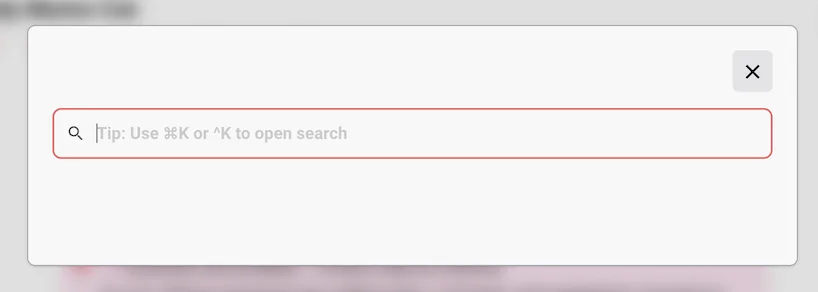
Jun 30, 2024: View transitions are back in and use ⌘K or ^K to search
Your browser does not support the video tag.
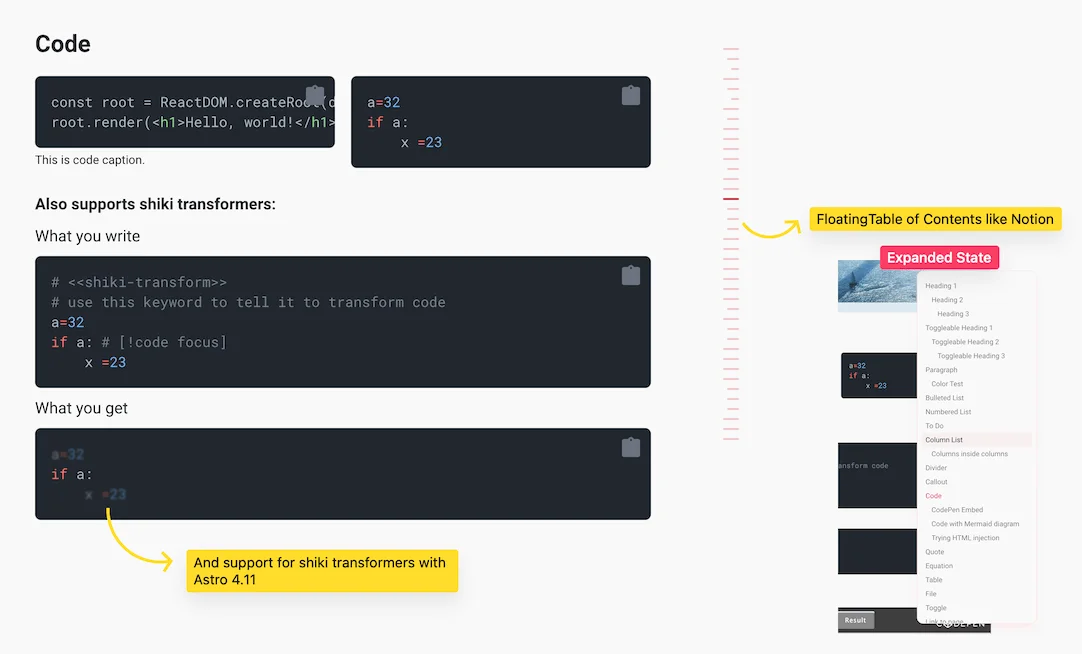
Jun 28, 2024: Floating table of contents and shiki transforms for code blocks (updated to astro 4.11), and added view transitions
Webtrotion is a extensively configurable, simple to install website builder, built with the Astro framework in conjunction with Notion. Use it to create an easy-to-use blogor website.
Webtrotion was built with the simple idea - most notion based builders, require at least one of these four things:
A custom domain, or being willing to use a vercel like domain
Just have blogposts be editable in Notion while pages are edited in the repo
Require some third party tools, or are not free to use.
Are not configurable because they are either based off third parties like super.so or the configuring requires editing multiple code files.
And I did not want that. We want something that converts well into a static site, can be hosted on github for free using the github.io domain, and can have both pages and blog posts and be configured pretty easily.
Why Notion and Astro
I use Notion for all my notes, and it did not make sense for me to download them into an md file, carefully figure out the logistics and push/pull with other SSGs like Quartro, Eleventy, Hugo or Jekyll.
I could have used another CMS but again, I use Notion, and it is easier to keep the content in one place. Notion also comes with interesting affordances that other CMS don’t: WYSIWYG for various components, block level permissions (to add drafts to post text), easy collaboration etc.
There are some NextJS options that kinda fulfill this criteria but I do not know NextJS and I did not want to figure it out at the moment, for example: Notion Next, Morethan-log, and Notion-Blog-NextJs
Key Features
Astro v5 and Tailwind v4
Integrates with Notion to create a website and not just a blog
Auto-generated related content and pages that link to this page
Pretty looking wikipedia like popups on hover that works with links to any block on any page.
Starting Webtrotion 2.0,
Footnotes and Citations[b]
Listing view supports both list and gallery layouts
Multiple authors with dedicated author pages
Cover images as hero backgrounds
Demo
Check out the Demo, hosted on Github using Github actions
We’re now on Webtrotion 2.0! When you clone the template, you'll get the latest version with JSON5 config, footnotes, citations, and all the new features. These docs reflect version 2.0.
Quick start
Notion Setup
Duplicate this database into your Notion account. Remember to duplicate it as a standalone new page, rather than into an existing page.
Your database title becomes the site title, the database icon becomes the favicon, and the description becomes the site description.
Recommended:Get your Data Source ID. This is the preferred connection method for Webtrotion 2.0 because it's more stable. You can get it from:
Open your database in the Notion app
Click the ••• menu in the top right
Scroll down to Manage data sources
Click Copy data source ID
Alternative: Get your database ID. Database ID is the 32 character alphanumeric string right after your workspace in the URL. It is the easiest to get this ID on a web browser rather than the Notion app. If you use the database ID, Webtrotion will automatically find the Data Source ID from it.
Database id from notion url
Which ID should I use? Data Source ID is preferred because it's more stable. Database ID works as a fallback - Webtrotion will auto-find the first Data Source ID from it. If you provide both, Data Source ID takes priority.
Github Setup
Create a new repo from this template if you want to have a one and done standalone repository. If you want to be able to access and sync changes made in the template to your repository, choose to fork it instead.
If you do not choose to add a custom domain, the name of your repository matters. If the name of the repository you create is <username>.github.io; your website will be accessible at <username>.github.io if you use github actions. If you use any other name, the website will instead be hosted at <username>.github.io/<reponame>.
When you first fork the repository, you will see that the github action output fails. This is because we haven’t added or changed notion integration information. Don’t worry, once you add those, it will run successfully.
Go to Environments → github-pages; Scroll down to Environment Secrets, click Add New Secret. Set name as NOTION_API_SECRET and the value to the API secret you obtained in Notion Setup
Very Optional (if you are tech-savvy or want to try): Get a personal access token to delete caches and set another environment secret named DELETE_CACHES_GH_TOKEN to this token
Details
Obtain a personal access token that you can limit to this repository using the process mentioned here: GitHub DocsManaging your personal access tokens - GitHub Docs. You only need the repo scope and remember to set the validity to no expiration. Remember to save this token somewhere because you will not see it again.
In the environment secrets section, add another environment secret named DELETE_CACHES_GH_TOKEN and set it to the token you obtained in the previous step.
Go to the actions tab, and choose I understand and want to run actions. On the left sidebar click the action “Deploy Github pages”. It will show a warning saying the scheduled action is disabled in forks. Click Enable workflow.
Set up giscus as mentioned on the website giscus.app. Keep the script it produces open as we will use it in the next step.
Go back to your cloned (forked or created through a template) repository.
Open file constants-config.json5[c] in the web UI. This file is the complete setup file for your website. For now, we will make four major modifications:
Under notion, change data-source-id to your data source id that you obtained from Notion (or use database-id as fallback)
Under site-info, add your name to author (this is used for RSS feeds, OG images and metadata)
Under socials, add your social media profile URLs (you should also remove the value for this-github-repo and point it to yours)
Under comments → giscus, add your giscus information to data-repo and other fields. If you do not want to use Giscus, leave data-repo empty and that will disable the feature.
Save the file and commit+merge to the main repo.
The github action by default runs every 8 hours or on commits to the repo. This can be modified in .github/astro.yml file. You can choose any cron duration.
And we are done! You can access your website on <username>.github.io or <username>.github.io/<reponame> depending on what you chose. Checkout all Supported blocks but tl;dr all blocks are supported except child databases and child pages.
Remember, the cron schedule is by default set to every 8 hours. You can change it to run every 2 hours or if you want to push out a change immediately, you can also manually run the github action if you are deploying on github. The workflow name is “Deploy Github Pages”.
Preview
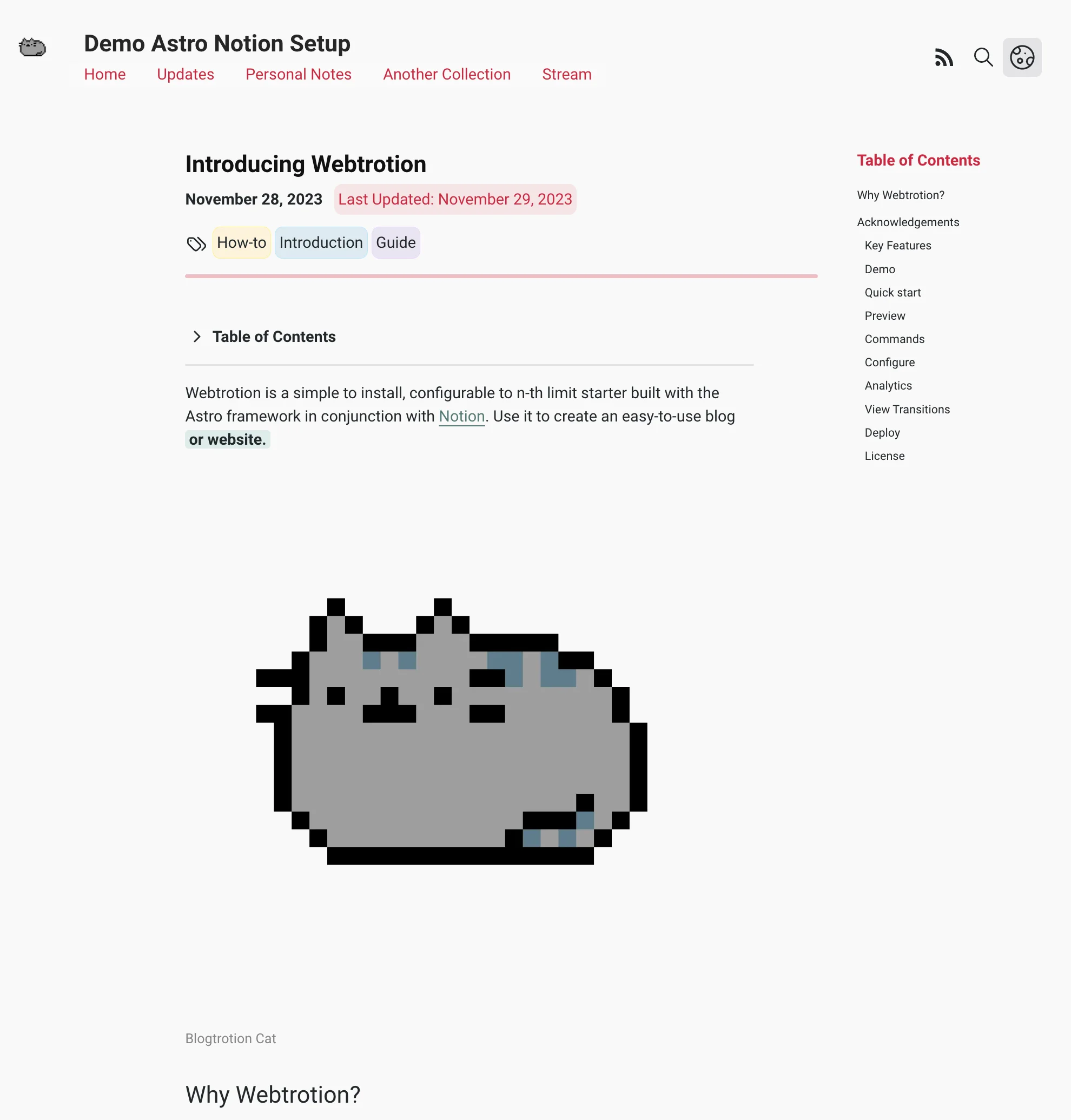
Light mode preview
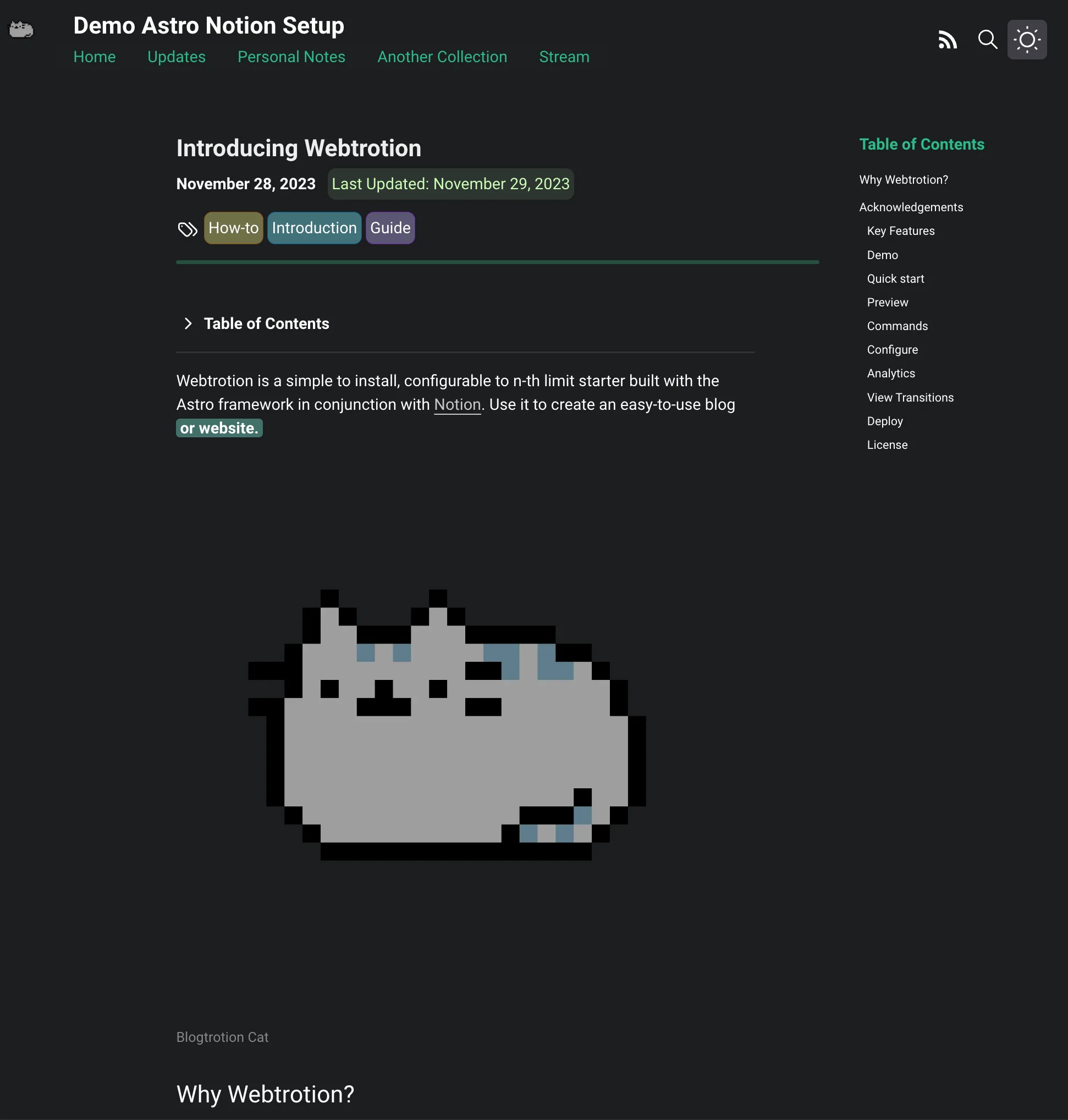
Dark mode preview
Notion Properties
Your database title becomes the site title, the database icon becomes the favicon, and the description becomes the site description.
Pages or posts are only published if: their Published property is checked ANDif the explicit publish date is empty or is before the current date.
Property
Usage
Page
Title of the page or post being rendered
Tags
Tags displayed for the post
Excerpt
Description used in OG images and RSS feeds
Collection
Collection in which the post/page goes. Anything tagged with main or your menu-pages-collection value (default "stream") is rendered as a page.
Published
Your post or page is only published when you tick publish
FeaturedImage
Image used to generate your page’s or post’s open graph image
Authors
Used to specify multiple authors for a post using Multi Select (tag description can be used to specify author-url, photo and description in shortcodes)
Specific Slug
The template generates a slug using formula, but if you want a specific slug, you can specify it here
Explicit Publish Date
By default, the formula considers the date notion page was created to be publish date. You can override it by setting a date for this property.
Explicit Last Updated Date
By default, the formula considers the date notion page was last edited to be last edited date. You can override it by setting a date for this property.
Rank
Want to order single pages (Updates before Papers?) Set rank in ascending order
Pinned
Pins post to the top of any collection page, except those tagged with menu-pages-collection.
Bluesky Post Link
Use bluesky post as a commenting mechanism, see variable: bluesky-comments
Don’t rename the columns of DB. They are used in the astro code. You can reorder the columns or add any other columns you want.
Local Run
You can run the code locally by cloning the repo.
cd folderexport NOTION_API_SECRET=YOUR_KEY_HEREnpm installnpm run build #we need to build once because that is when all icons are downloadednpm run dev#use npm run build-local to reflect code changes#use npm run preview to see the final state
Notion connection: data-source-id (preferred, more stable) or database-id (fallback, auto-finds data source if data-source-id empty)
site-info
Basic site info: author (name for RSS/OG/metadata), custom-domain (without https:// or slash, empty for Vercel/Netlify), base-path (subdirectory like "/blog", empty if root), site-author-url (URL for site author, only when author name matches site author), site-author-photo (avatar URL for site author)
site-info → authors
Multi-author support: enable-author-pages (builds /authors/ index and /authors/[author]/ pages), only-when-custom-authors (only show bylines and author pages when at least one post has a non-default author)
collections-and-listings
Post organization: home-page-slug (default "home"), recent-posts-on-home-page (show 5 recent posts), number-of-posts-per-page (default 10), menu-pages-collection (pages in nav, default "main"), full-preview-collections (array for stream-style display), hide-underscore-slugs-in-lists (hide _ prefixed from lists/sitemap/search), listing-view ("list" for traditional or "gallery" for card-based grid with FeaturedImage thumbnails)
theme → colors
RGB values (with spaces, e.g. "255 255 255") for light/dark modes: bg (background), text (main text), link (links), accent (primary highlights), accent-2 (secondary highlights), quote (blockquotes)
theme → fontfamily-google-fonts
Font names only (no URLs, no escaping): sans-font-name (body/UI font, can be sans or serif), mono-font-name (code blocks). Auto-loads weights [400, 500, 600, 700] and styles [normal, italic]
theme → cover-as-hero-background
Use cover image as background behind hero/post preview
socials
Social profile URLs (keys are fixed, match icons): email, github, googlescholar, semanticscholar, dblp, substack, facebook, twitter, threads, instagram, mastodon, bluesky, calendar, kofi, buy-me-a-coffee, this-github-repo
tracking → google-analytics
Google Analytics: use-ga (enable GA tracking), public-ga-tracking-id (GA4 Measurement ID like G-XXXXXXXXXX)
tracking → umami
Umami analytics: use-umami (enable), data-website-id (website ID from Umami dashboard), self-hosted (true for self-hosted instance), self-hosted-umami-url (script URL for self-hosted)
tracking → google-search-console-html-tag
Google Search Console verification: paste the 'content' attribute from verification meta tag
og-setup
OG image generation: columns (1 = single column with bg, 2 = side-by-side), excerpt (include excerpt), title-font-name (any Google font), title-font-weight (default 400), footnote-font-name (author/date font), footnote-font-weight (default 400)
comments → giscus
GitHub Discussions comments: data-repo (username/repo), data-repo-id (from giscus.app), data-category (discussion category name), data-category-id (from giscus.app), data-mapping (how to map pages, e.g. "pathname"), data-input-position ("top" or "bottom"), data-reactions-enabled (enable emoji reactions)
comments → bluesky-comments
Bluesky comments: show-comments-from-bluesky (enable), auto-search-for-match with turn-on-auto-search (auto-find posts), author (your Bluesky handle), echo-feed-emoji (emoji marker for blog posts)
comments → webmention
Webmentions: webmention-api-key (API key from webmention.io), webmention-link (endpoint URL)
block-rendering
Content display: enable-lightbox (click images for fullscreen), full-width-social-embeds (embeds span full width on small screens), optimize-images (convert to WebP, slower builds but smaller files), process-content-to-markdown (convert all pages/posts to markdown format alongside HTML output for use with LLMs and other tools)
shortcodes
Special markers in Notion code blocks: html-render (render HTML in iframe, default <!DOCTYPE html> <!-- iframe -->)[d], html-inject (inject raw HTML, default <!DOCTYPE html> <!-- inject -->), expressive-code (not implemented), shiki-transform (advanced highlighting, default <<shiki-transform>>), mdx-inject (MDX compilation, default <!-- mdx inject -->), table (datatable features, default <<🗂️>>)
shortcodes → author-desc
Author metadata shortcodes in multi-select description field: author-url (start/end markers <<author-url>>), author-photo-url (start/end markers <<author-photo-url>>). Remaining text is the bio
auto-extracted-sections → footnotes
Footnotes: sitewide-footnotes-page-slug (legacy manual page slug, default "all-footnotes"), in-page-footnotes-settings with enabled (toggle system), source (only one true: end-of-block for definitions at block end, inline-latex-footnote-command for \\footnote{content}, start-of-child-blocks for first n child blocks, block-comments for Notion comments with Read permission, block-inline-text-comments not yet implemented), marker-prefix (default "ft" for [^ft_1], does not apply to inline-latex-footnote-command), generate-footnotes-section (collate at page bottom), show-in-margin-on-large-screens (margin on large, popovers on small)
auto-extracted-sections → interlinked-content
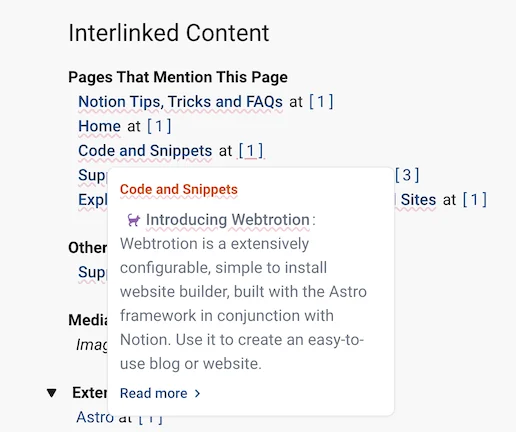
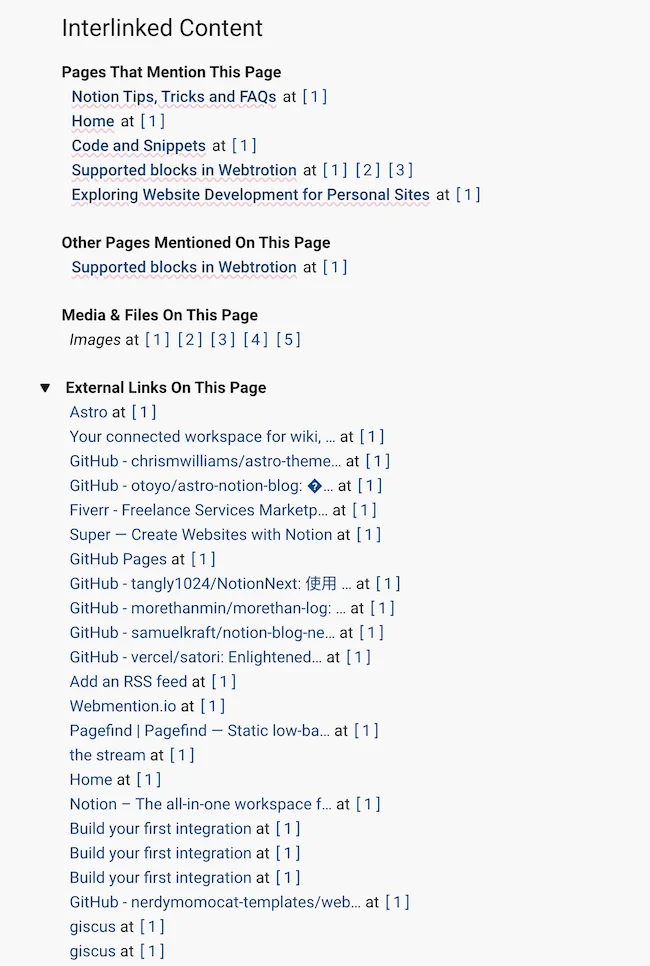
Interlinked content at page bottom (formerly references): site-links-in-page (links to other site pages), external-links-in-page (external website links), media-and-file-links-in-this-page (embedded media files), links-to-this-page (backlinks from other pages). Popovers enabled by default
auto-extracted-sections → citations
Citations: add-cite-this-post-section (add "Cite this page" section), extract-and-process-bibtex-citations with enabled (toggle BibTeX processing), bibtex-file-url-list (array of .bib URLs: GitHub Gist/repo, Dropbox, Google Drive; GitHub links check timestamps, Dropbox/Drive fetch on every build), in-text-citation-format ([@key] pandoc cite\{key\} LaTeX / #cite(key) Typst, renders as [firstName et al, year] or [1][2]), bibliography-format (only one true: simplified-ieee for numbered ICML/NeurIPS style, apa for author-year ACL style), generate-bibliography-section (collate at page end), show-in-margin-on-large-screens (margin on large ≥1024px, popovers on small)
external-content
Pull external content from GitHub via Notion's "External URL" field: enabled (toggle feature), sources with markdown (GitHub folder URL where each subfolder is a markdown post), mdx (GitHub folder URL for MDX posts), html (GitHub folder URL for HTML posts), custom-components (GitHub folder for MDX imports, downloaded to src/external-content/custom-components, also usable via mdx-inject shortcode)
redirects
301 redirects: object mapping old paths to new (e.g., "/old.html": "/new/") for SEO when migrating content
There are 3 shortcodes atm, two supported, two in works. html shortcode is used to embed html code blocks that start with this line directly into the page. shiki-transform is used to transform code blocks into more expressive representations. table is used to set the identifier for data-tables enabling search and sort.
references
To show related pages, external links, and mentioned media at the end of the post. Set popovers to true to display a snippet when hovering over a post link in the body.
theme
Colors for light mode and dark mode
fontfamily-google-fonts
Combined URL link for all fonts you want to use from google fonts. Remember to escape spaces in font names if needed
number-of-posts-per-page
Number of posts in a page for pagination purposes
enable-lightbox
Set to true if you want people to be able to click on your image to open in a new tab
request-timeout-ms
Timeout for API requests
menu-pages-collection
Collection select value in Notion database that decides if these are pages or blogposts. Set this to value you use for pages.
heading-blocks
Which top-level blocks blocks should form the table of contents on right
full-preview-collections
Stream like view, where each post is a mini-blog in the same page as a scrollable page instead of being links to individual pages. Any Collection name added to this list will be rendered as stream view.
hide-underscore-slugs-in-lists
If the slug starts with _, hide those in post lists, rss and sitemap, but still render them, so that you can share them
home-page-slug
By default is set to home but can be anything that you want for the renderer to recognize which is your home page from the database
og-setup
Open graph setup refers to the images displayed when sharing links. It includes excerpts and creates two columns if a featured image is available. You can customize the title and footnote fonts for the og-image, particularly for non-English blogs. Ensure that each URL has only one font and, if it has a weight, the weight is above 400
optimize-images
Converts images to next-gen formats like webp for more responsive sites
redirects
Intentional redirects, especially if you are moving systems that astro should redirect to
all-footnotes-page-slug
Defaults to _all-footnotes. This page is not visible in post list because it starts with a _ but you can use this show popup blocks on any of your pages.
bluesky-comments
show-comments-from-bluesky to turn on/off a Bluesky comment section. auto-search-for-match searches your profile for parent posts mentioning the link, controlled by turn-on-auto-search, with author specifying your Bluesky handle; echo-feed-emoji filters these searches.
License
MIT
Notes
Don’t rename the columns of DB. They are used in the astro code. You can reorder the columns or add any other columns you want.
Remember, the cron schedule is by default set to every 8 hours. You can change it to run every 2 hours or if you want to push out a change immediately, you can also manually run the github action if you are deploying on github. The workflow name is “Deploy Github Pages”.
Update Jun 19, 2024: I included a keep alive workflow which will hopefully work to keep the action running without any manual intervention. Fingers crossed 🤞.
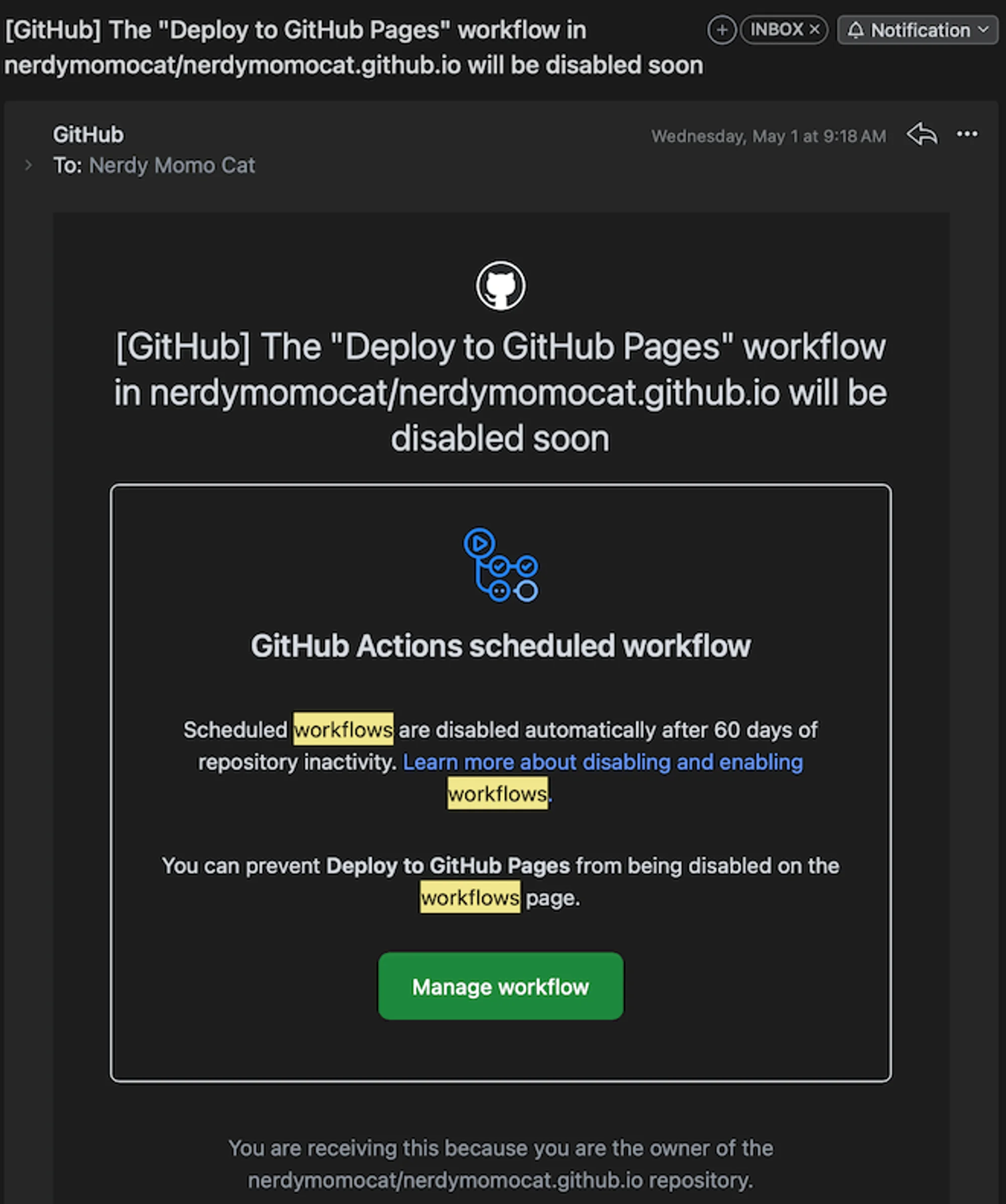
Webtrotion relies on GitHub Actions if you're deploying on GitHub Pages. If you don't commit any changes to the repository, remember to manually enable the workflow every 60 days.
Screenshot of the email you’ll get warning you about the workflow being disabled.
[GitHub] The "Deploy to GitHub Pages" workflow in nerdymomocat/nerdymomocat.github.io will be disabled soon
Aggressive Caching
Remember that the setup uses aggressive caching for github actions. These caches are public. If you want to remove caches, you can go to github action workflow and manually delete the caches
Multilingual/Non-English blogs
Open graph setup refers to the images displayed when sharing links. It includes excerpts and creates two columns if a featured image is available. You can customize the title and footnote fonts for the og-image, particularly for non-English blogs. Just specify any Google font name (no URLs needed starting version 2.0), and set the font weight if desired (default is 400).
If you end up using webtrotion, please consider buying me a coffee here:
From September 2025 onwards, AI assistants have been used to develop complete features. Before this, GitHub Copilot and chat-based AI tools assisted with code writing but not full feature development.
Just like these!
For Webtrotion before 2.0, open constants-config.json and configure four essential settings: change DATABASE_ID to your Notion database ID, add your name to AUTHOR (used for HTML semantics and OG images), add your social media links, and add your Giscus information to the GISCUS key (or disable it by removing the value for data-repo in GISCUS).
Notion HTML embed blocks are now supported by default as iframes, and the height of iframes is auto-calculated to a clamped value
PDFTriage: Question Answering over Long, Structured Documents
Download Preview
Toggle
Toggle
This is toggled details.
1
2
3
Toggle inside toggle
More toggles!
Lorem ipsum dolor sit amet, consectetur adipiscing elit. Sed ut volutpat nunc. Lorem ipsum dolor sit amet, consectetur adipiscing elit. Sed ut volutpat nunc.
Long enough toggle to see what happens to the marker here.
Oct 28, 2025: Comprehensive Citation and Footnote System. Webtrotion now has a complete citation and footnote system. You can now add citations from BibTeX files and have them automatically formatted. Footnotes are also supported, with popovers for easy reading.
Oct 25, 2025: Enhanced OG Images. OG images for tags and collections now include descriptions. A new automated workflow has been added to clean up template-specific files when you create a new repository from the template or pull updates from it. This keeps your project clean and free of unnecessary files.
Sep 11, 2025: Search from Query Parameters and UI improvements. You can now pre-fill the search box with a query parameter in the URL. The UI for the tags page has also been updated for a cleaner look.
Sep 10, 2025: Cache Recovery Workflow. A new GitHub Actions workflow has been added to allow you to recover your cache.
Sep 4, 2025: Upgraded Notion API. The project has been updated to use a newer version of the Notion API, ensuring better stability and compatibility with future Notion features.
Jul 6, 2024: Introducing Webtrotion. Unlike notion where your simple tables are basically just a form of displaying data, you can now search and sort your simple tables in webtrotion. Just have column headers and use <<🗂️>> in the first cell (modifiable in constants-config).
Your browser does not support the video tag.
Jul 4, 2024: Breaking change → the shortcode for HTML rendering in an iframe (if you want to use external libraries like d3.js has changed to <!DOCTYPE html> <!-- iframe --> and for injecting it directly into the body is now <!DOCTYPE html> <!-- inject -->. This helps you have code blocks that are in html and start with <!DOCTYPE html> without rendering them.
Jun 30, 2024: View transitions are back in and use ⌘K or ^K to search
Your browser does not support the video tag.
Jun 28, 2024: Floating table of contents and shiki transforms for code blocks (updated to astro 4.11), and added view transitions
Loom/any video embed using Notion’s option is not supported at the moment
But it works if you use their embed URL
Direct Uploaded Video
Your browser does not support the video tag.
This is a direct uploaded video caption!
Known stuff that is not supported/has bugs
Multiple injections on a single page if not handled carefully, have clashes can have a problem!
Resizing for embedded html is a problem, for things like d3.js, but does it matter? How does distil handle it?
If you use npm run dev without npm run build, some things may not be download leading to:
CSS generation is also now associated with build. Run the build command once before running dev please.
Table column colors are not supported through API
Block mentions are not supported through API
Comments are not supported
Word breaks are an issue on smaller screen if there is no viable place to break them. Currently I am using word-wrap:normal;
I do not plan to add support for inline databases but I’d love if anyone wants to contribute?
Child Pages are too much work to support and I do not have a personal usecase for it!
Column widths and embed widths are not exposed in API
Backlinks are not exposed in API so I do not know how to do Links to This Note
Right now, if I click on a tag from “unlisted” URL and that tag is only attached to that post, no tag page is generated, and I think that isn’t a bad thing!
If you post a parent block with child sync block to another workspace, it will not show up in UI but does show up in API causing warnings/errors
Heading ids are generated based off text. If you have two headings with same names, that is an issue. I can change it to use block id, but then they are illegible to anyone using an href link for them to share.
Footnotes
Footnotes can be added like this. Please check here for details.